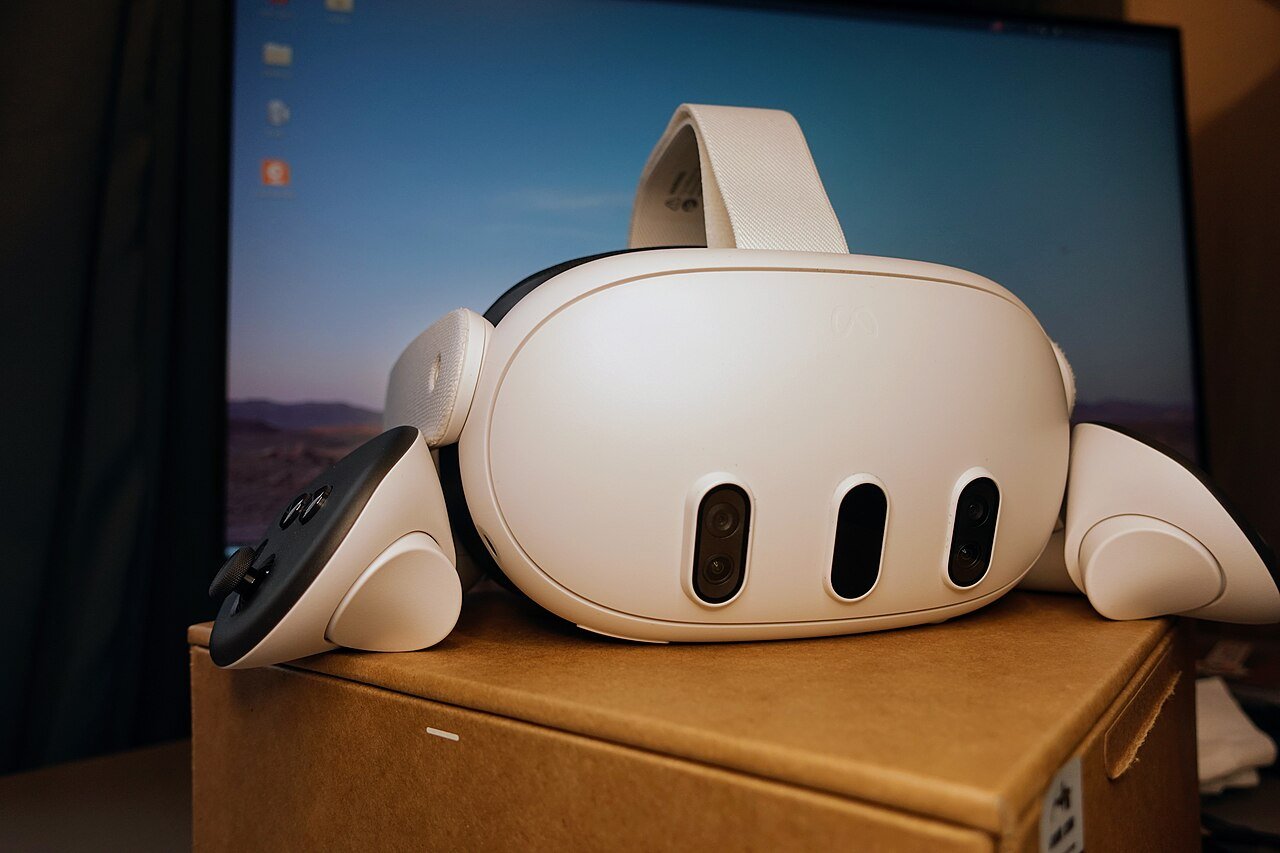
Horizon OS 2.10 is the next big Quest system update, and it has just started rolling out on Meta’s Public Test Channel. The headline features are a new Theater environment for watching films and YouTube, and a much simpler version of the Navigator menu. There are also a few quieter changes that could annoy some players. Here is what is in it, what is missing, and whether it is worth joining the test.
What is the Public Test Channel?
The Public Test Channel, or PTC, is Meta’s beta channel for Quest. If you opt in, your headset gets early builds of each update before everyone else. That is great if you like new toys. However, it also means you might find bugs first.
UploadVR, which spotted the changes, makes an important point. Features in a PTC build do not always make it into the final release, and some only reach a small number of users at first. So treat everything below as “on the way”, not “guaranteed”.
Horizon OS 2.10 Theater environment
The biggest new feature is Theater. It is a large home cinema style room with high-resolution textures, and it is built for watching things rather than for hanging out.
It works differently from a normal home environment. You pick it from the control bar of the window you want on the big screen, using a new button labelled Theater. Exit it and you go back to your usual home environment or passthrough. According to UploadVR’s testing, it already works with the built-in Media Player, the Browser, YouTube, Disney+ and Amazon Prime Video.
The lighting in the room also reacts to whatever is playing. That said, a fancier backlight-style feature that UploadVR reported earlier does not seem to be there yet. Meta may add it later.
For VR cricket fans, this could be the most useful part of the update. Lots of players use their headsets for cricket highlights, replays and YouTube. A proper cinema room for that sounds like a nice upgrade over a floating window in your living room.
The new Simplified Navigator
The second big change is a redesign of the Navigator, which is the menu you use to launch apps. Meta showed this new look when it revealed its VR Glasses at Connect in September. Now it seems to be reaching a small number of PTC users.
The new version strips a lot out. The Me, People, Quick Controls, Show/Hide Windows and Environment buttons are gone. Instead, there are just three tabs: Search, Library and Notifications. To reach Quick Controls, you now tap the clock, Wi-Fi and battery display at the top. That page has bigger buttons and a new switch between your home environment and passthrough.
There are two welcome touches as well. Privacy indicators for things like the microphone now show in green rather than a muted purple, so they are easier to spot. Also, when you are inside an immersive app, a new bubble gives you a clear option to quit it. That fixes a common moan about the old design.
Library changes: the good and the annoying
The Library has had a big shake-up. Smartphone-style app folders now appear to be the default in grid view. Sideloaded apps also get their own folder, called Unknown Sources.
Here is the annoying bit. UploadVR says there is no longer an option in the main view to show only installed apps, or to see which apps have updates waiting. So you see everything your account owns, installed or not. A new List View, opened by pressing the Library button again, still has the older filters. Even so, it is an extra step for something people do every day.
If you own a lot of games, you will notice this straight away. Hopefully Meta sorts it out before the stable release.
Other changes in Horizon OS v210
- Smoother window resizing: apps with a fixed shape, such as YouTube, now scale more smoothly when you resize them.
- Avatar video calls: Meta says you can now make video calls as your avatar in the Chats app, and switch back to audio only.
- External microphone toggle removed: the experimental switch for USB-C microphones on Quest 3 has gone. UploadVR found external mics still work, but it is not clear what Meta plans next.
- Security: Meta says the update improves how Quest checks that websites and online services are genuine.
Why Meta is changing the Quest menus now
This update makes more sense when you look at the bigger picture. Meta’s VR Glasses are due next year, and the simpler Navigator is the one Meta showed for that device. In other words, Quest 3 and 3S owners are getting an early look at where Meta’s software is heading.
At the same time, Meta is winding down feature updates for older headsets. As I explained in my piece on Quest 2 end of support, feature development for Quest 2 and Quest Pro ends with v213. So if you are still on a Quest 2, updates like this one have a limited shelf life.
It also fits the wider push towards media and apps on headsets. Meta’s controllers and hand tracking plans for the new glasses are covered in my post on Meta VR Glasses controllers vs hand tracking.
Should you join the PTC for Horizon OS 2.10?
If you want the Theater room early and do not mind a few rough edges, it could be worth a go. However, if your Quest is mainly for one or two games, such as VR cricket, I would be more careful. A beta build is exactly when odd problems can pop up. If something does go wrong with your tracking, my guide on fixing tracking issues in iB Cricket on Quest 3 covers the usual checks.
To opt in, Meta’s help page says to open the Meta Horizon app on your phone. Then tap Menu, then Devices, and pick your headset. After that, go to Headset settings, then Advanced Settings, and switch on Public Test Channel. If the toggle will not turn on, the channel is full, and Meta says there is no waiting list.
Horizon OS 2.10 FAQ
When will Horizon OS 2.10 reach everyone?
Meta has not given a date for the stable release. PTC builds usually come first, and features can still change before then.
Will Quest 2 get the Theater environment?
Meta has not said which headsets get each feature. Quest 2 and Quest Pro still receive updates until v213, so it is not ruled out.
Can I go back to the old Navigator?
There is no sign of an option for that in the PTC so far.
For more Quest news and guides in one place, have a look at my Meta Quest hub. And if you buy any games on the Meta Horizon Store this week, you are welcome to use my promo code VRCGUY. It is my own code, and it is an easy way to support the site.