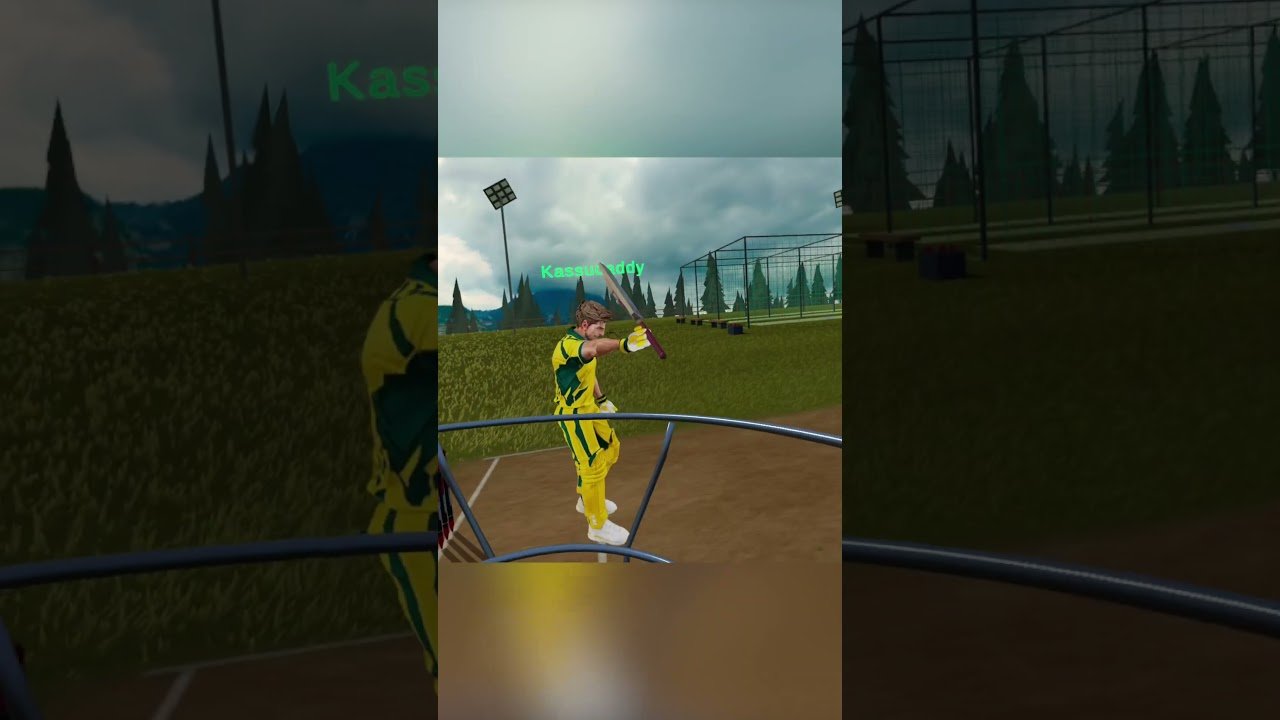
Finally, you can take your mates to the nets in VR. RealBat Cricket VR multiplayer is now live on Meta Quest, according to the developer’s own announcement on 1 November. It lets two players bat side by side, chat between deliveries and settle things in a new head-to-head mode called Chase. So here’s how RealBat multiplayer works, what you need to play, and what’s still missing.
Thinking of picking up RealBat (or any other game) on the Meta Horizon Store? Pop in my own promo code VRCGUY at checkout. It’s an easy way to support the channel, and it works on lots of other Quest games too.
What is RealBat Cricket VR?
RealBat Cricket VR is a physics-based cricket batting game for Meta Quest from RealBat Studios. According to the official RealBat press kit, the ball’s flight is worked out 240 times a second, with swing, seam, spin and bounce. You can bat with a Touch controller, or strap the controller to a real bat.
The press kit lists three ways to play: a ten-over match, a timed Auto-fire mode and unlimited nets. There are three grounds as well. Those are RealBat Stadium, the Colosseum and the High Peak nets. There’s also a free demo that runs in the Quest browser with nothing to install.
I’ve already written about whether RealBat Cricket VR is worth it, so I won’t repeat all of that here. This post is all about RealBat Cricket VR multiplayer and how it works.
RealBat Cricket VR multiplayer: how it works
According to the RealBat team’s multiplayer announcement, two players share side-by-side nets. Your partner appears in the lane next to you. You can see their body and bat move, watch their backlift and follow where their shots go, thanks to a ball trail.
There’s built-in voice chat, so you can say hello, praise a good shot or give your mate a bit of stick for a play and a miss. You can even touch bats before you start. Then you can simply bat together, or challenge each other to a proper contest.
There are two ways to find someone to play with:
- Quick match: the game looks for another online player while you keep practising. You don’t sit in a waiting room. However, it does depend on someone else being online at the same time.
- Invite friends: this uses the Meta friends panel, so you can send an invite to someone you already know.
How Chase mode works
Chase is the competitive bit. Both batters go after the same run target, with 12 balls and three wickets each. You face the same deliveries in the same order, so it’s a fair fight. The bowling machines alternate between you, which means you get to watch your partner’s shot before your next ball arrives.
A coin toss decides who bats first. A shared scoreboard keeps both scores in view. If one player reaches the target, the other still gets the matching ball, so both get the same chance. If neither gets there, the higher score wins. The winner then gets a “King of the Nets” card, which I imagine leads straight to a rematch more often than not.
Twelve balls is short and snappy. So it sounds more like a quick-fire challenge than a full match. That suits VR cricket, where a long session can get tiring on the arms.
What you need to play
Here’s what the official announcement and press kit confirm:
- Headsets: Meta Quest 2, Quest 3 and Quest 3S.
- Price: $14.99 on the Meta Horizon Store, according to the press kit. QuestGames.app currently lists the UK price as £11.99.
- Internet: each player needs an internet connection for multiplayer.
- The full game: multiplayer is part of the installed Quest game. It isn’t in the free browser demo.
- One headset each: both players need their own supported headset and their own copy.
One small caveat. When I checked, the Meta store details on QuestGames.app still listed the game as “Single User”. Store listings often lag behind updates, so don’t panic if yours says the same. The developer’s own post says you open Multiplayer from the main menu or the nets menu.
RealBat also supports playing with a real bat. The developer says you can use your usual bat setup in multiplayer too. If you’re looking for kit, I’ve put together a guide to the VR cricket bat for Quest 3 and 3S. You can also see the VR Cricket Bat for Meta Quest 3 and 3S on the VR Merch Store.
How does it compare with iB Cricket?
Let’s be honest, iB Cricket is still the benchmark for most VR cricket fans. Its store listing says over 1 billion balls have been played in it. VRDB lists iB Cricket with both multiplayer and single-user modes, so playing with other people isn’t new to VR cricket. For more on that game, see my iB Cricket on Meta Quest 3 guide.
What RealBat is doing differently is the side-by-side nets idea. Instead of a full match, it’s two mates in neighbouring lanes, talking and watching each other bat. It’s a simple idea, but it’s the kind of social feature VR is good at.
Meanwhile, the other newcomer has had a change of name. According to VRDB, the game I covered in my Cricket Rise: World Championship first look was renamed Cricket Champions on 1 November. VRDB lists it as single user only for now. So, among the newer games, RealBat is the one pushing multiplayer.
Open questions
There are a few things the announcement doesn’t answer yet. First, there’s no word on how many people are playing, so Quick match waits are hard to judge. That’s a big deal for a newer game, because matchmaking only works if others are online.
Second, it’s two players only for now. There’s no mention of team matches or bowling against each other. Finally, the multiplayer bits we’ve seen so far all focus on batting, which makes sense given the game is batting-only.
None of that is a criticism as such. It’s just worth knowing if RealBat Cricket VR multiplayer is the main reason you’re buying.
Quick FAQ
Can I play RealBat Cricket VR with a friend?
Yes. Open Multiplayer and choose Invite friends. You share the nets, can talk through voice chat and can challenge each other to Chase.
Is RealBat Cricket VR multiplayer in the free browser demo?
No. The developer says multiplayer is only in the full Meta Quest game.
Does it work on Quest 2?
Yes, the developer lists Quest 2, Quest 3 and Quest 3S.
What to watch next
I’ll be keeping an eye on how busy Quick match gets and whether RealBat adds more multiplayer modes. For everything else in the world of VR cricket, have a look at my complete VR cricket guide. If you’re into other active games as well, my VR sports and fitness hub is worth a look too.