iB Cricket is the main VR cricket game available on the Meta Quest 3 and Quest 3S. This guide covers how it runs on the headset, what you need to get started, and the key settings and tips for the best experience.
Does iB Cricket Work Well on Meta Quest 3?
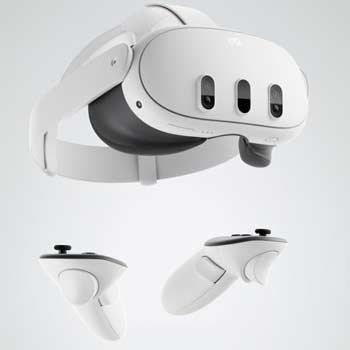
Yes. iB Cricket runs natively on the Meta Quest 3 and Quest 3S. It is a standalone game, so you do not need a PC. The Quest 3’s performance is strong enough for the current stadiums and physics, and most players find it smooth during normal matches.
The game is available directly from the Meta Horizon Store.
What You Need
- Meta Quest 3 or Quest 3S
- Enough clear space to swing a bat safely
- iB Cricket downloaded from the Meta Horizon Store
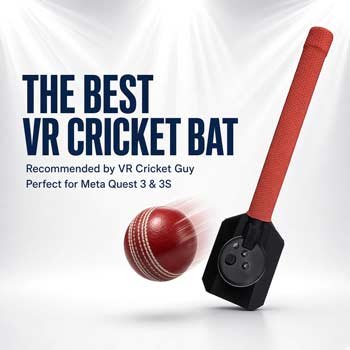
- Optional but recommended: a VR cricket bat (I use the one from vrmerchstore.com)
Full practical setup steps are covered in the Ultimate iB Cricket Setup Guide.
Getting Started
- Buy or set up your Meta Quest 3 / 3S.
- Search for iB Cricket in the Meta Horizon Store and download it.
- Use code VRCGUY at checkout for a discount on eligible games.
- Complete the in-game tutorial and adjust your play area.
- Start with shorter matches while you get used to the tracking and timing.
Recommended Settings
These are the settings I normally use or recommend for Quest 3:
- Bat Shield: Off (0%) once you are comfortable. This gives the most realistic feel.
- Play area: As large as your room allows.
- Tracking: Make sure the room is well lit and the headset cameras have a clear view of your hands/controllers.
- Stadium: Start with one of the more open stadiums while learning, then move to tighter or more challenging ones.
More detail on stadiums is in the Best iB Cricket Stadiums Ranked post.
Tips for Better Performance
- Keep the controllers (or VR bat) in view of the headset cameras as much as possible.
- Avoid very low or flickering lights — they can affect hand tracking.
- If shots feel inconsistent, check your grip and make sure you are not clipping the play area boundary.
- Use the replay feature to review your timing and shot selection.
Common Questions
Is iB Cricket realistic on Quest 3?
It is one of the more realistic VR cricket experiences available. Timing and shot selection matter. Professional players who have tried it generally find the core batting feel solid, though it is still a game.
Do I need the Quest 3 or is the Quest 3S fine?
Both work well for iB Cricket. The Quest 3S is the better value option if your main goal is VR cricket.
Can I use a normal cricket bat?
No. You need a VR-compatible bat or the controllers. The dedicated VR cricket bat from vrmerchstore.com is the one I recommend.
Final Thoughts
iB Cricket on the Meta Quest 3 is the current best way to play VR cricket at home. The game is straightforward to set up, runs well on the headset, and improves with practice. Start with the setup guide, get your space right, and then focus on timing.
More guides: