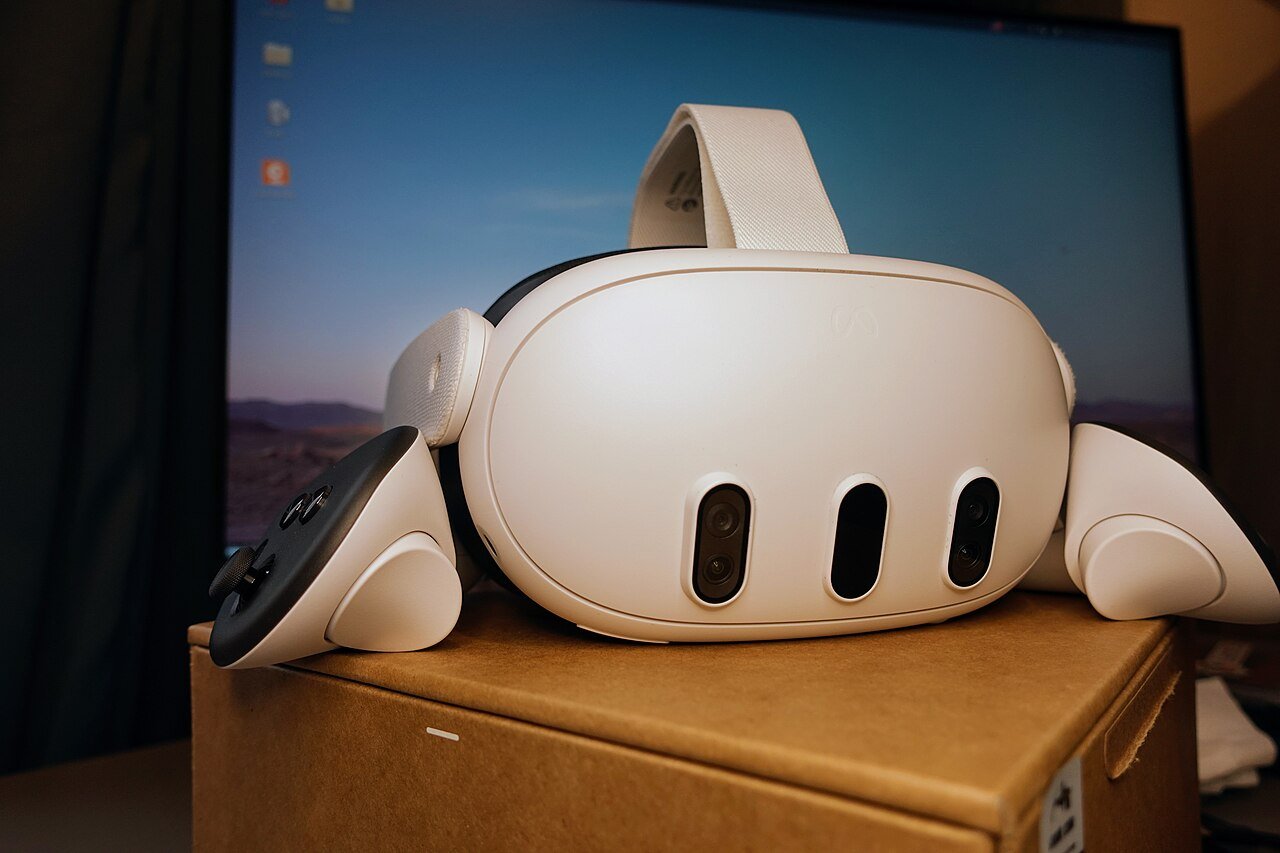
This Meta Quest hub is the home base for Quest 3 and Quest 3S owners on VR Cricket Guy. It points you to headset news, game guides, cricket setups, and other titles we have covered. Start here when you want the short path to the right article.
Meanwhile, Meta Quest remains the default standalone headset for most readers of this site. That will not change overnight. Meta has said new Quest hardware will wait for major breakthroughs, so Quest 3 and Quest 3S stay central for now. Use the links below to dig into each topic without hunting the archive.
Headset news and buying decisions
Before you upgrade, check what Meta has actually said. Our summary of Meta confirming no new Quest headset without major breakthroughs explains why Quest 3 and Quest 3S are still the build targets. It also notes what that means for buyers who hoped for a yearly refresh.
If your main use case is cricket, read the dedicated comparison in best VR headset for playing VR cricket in 2026. That piece weighs comfort, tracking, and value with bat swings in mind rather than generic tech scores.
Glasses are a separate lane. See The Meta Glasses and VR Cricket Guy for how that story sits beside full headsets. For a shipping Android XR rival, we also covered the XREAL AURA glasses launch.
Games on Meta Quest 3
Looking for bigger productions? What are the AAA games on the Meta Quest 3? lists the heavy hitters and what “AAA” even means on a standalone headset. Pair that with store pages, because catalogues change.
Cricket fans should bookmark best Meta Quest games for cricket fans. It mixes dedicated cricket apps with other picks that still fit the audience. For horror, see our Scary Hot Dogs VR guide.
Newer releases also land here. We covered EXOSHOCK early access on Quest 3 and PC VR as a co-op shooter. For a free combat option, read the FireZone VR overview. Airsoft fans can start with Airsoft Allstars VR.
Cricket on Meta Quest
Most of this site exists because cricket on Meta Quest works well enough to practise and play for fun. Begin with iB Cricket on Meta Quest 3. Then fix setup issues with tracking fixes for iB Cricket on Quest 3.
Stadium picks, gems, and player names each have their own posts. Use the VR cricket hub for the full cricket map once it is published. Realism questions are covered through Kent player reactions linked from that hub.
Other cricket titles on Quest include RealBat and Cricket Rise. Their overviews and value checks sit under the cricket section of the site and will also appear on the cricket hub.
PC VR, emulators, and cross-play notes
However, some players want Quest exclusives on a PC headset. That is a legal and technical minefield. Our guide on the Venture Quest emulator explains what the project claims and what risks and limits sit around it. Read carefully before you try anything.
EXOSHOCK is an example of a title that launched for both Quest 3 and PC VR. Dual releases like that matter if you own more than one headset. Always check store pages for the platform you actually use.
Setup tips that save sessions
Above all, clear floor space first. A cramped guardian leads to clipped swings and broken lamps. Keep controllers charged. Wipe tracking cameras. Bright, even lighting usually beats a dark room with one lamp.
Next, calibrate inside each game. Cricket titles often have bat-grip or height tools. Spend two minutes there before every serious session. Also update Horizon OS when Meta pushes a stable build, because tracking and store fixes ride along.
If you buy games on the Meta Horizon Store, the author’s VRCGUY code may help where it applies. New drafts link that page when it is live.
How this Meta Quest hub will grow
In short, this page is a living index. New Meta Quest news, game guides, and setup posts on VR Cricket Guy will be linked under the matching heading over time. So you can keep one bookmark and still find fresh articles.
For sport-specific routes, use the cricket hub and the VR sports and fitness hub once those pages are published. They sit beside this Meta Quest hub rather than replacing it.
Everyday Meta Quest habits that help every game
First, update the headset when a stable system release lands. Then reboot once. That simple habit clears odd store or tracking glitches more often than people expect. Also keep the Meta Horizon mobile app paired, because account, casting, and some referrals still run through the phone.
Second, treat the guardian as part of sport setup, not a one-time chore. Move furniture, then redraw the boundary. A stale guardian is how controllers hit shelves during a follow-through. Third, store the headset away from direct sun. Lens damage is permanent and expensive.
Fourth, learn casting if family watch your cricket nets. It turns a solo session into a shared one. Fifth, organise your library. Pin cricket, fitness, and “try later” titles so you waste less time browsing when motivation is high.
Mixed reality versus full immersion on Meta Quest
Quest 3 mixed reality lets some apps blend virtual objects with your room. Full immersion blocks the room for cinema and many games. Cricket nets almost always want immersion, because you need a clean sight picture of the bowler and pitch.
Still, mixed reality can help before you play. You can check the room, place a virtual guide, or use passthrough to find a dropped controller. For sports, think of passthrough as a setup tool. Then switch to the immersive mode the game expects.
Developers will keep experimenting with room-scale sports. Until a title clearly markets a passthrough cricket mode that works well, assume classic immersive nets remain the default on Meta Quest.
Budgeting for games and accessories
Headset cost is only the start. Games, a better strap, and optional bat attachments add up. Decide a monthly store budget so impulse sales do not stack. Wishlist titles and wait for known sale periods when you can.
Also separate “must play” from “curious”. Cricket mains may only need one or two cricket apps plus a movement game for rest days. That keeps the library focused. It also makes your Meta Quest home screen calmer.
When a purchase supports this site, look for the author’s VRCGUY mention on relevant posts. Never enter a code you do not trust. Always confirm the offer inside Meta’s own checkout or redeem flow.
FAQ
Should I buy Quest 3 or Quest 3S?
It depends on budget, display needs, and whether you want the higher-spec mixed-reality cameras and lenses. For cricket-focused advice, use the headset guide linked above. Then confirm current pricing on Meta’s store.
Do I need a PC for Meta Quest cricket games?
Usually no. Most cricket titles we cover run on the headset itself. PC VR matters more if you also play SteamVR sports or dual-platform shooters.
Where should I go for cricket-only advice?
Use the VR cricket hub for games, realism checks, stadium tips, and accessories. Keep this Meta Quest hub for headset-wide news and mixed game coverage.
Are glasses a Quest replacement?
Not for controller-heavy cricket nets. Glasses target different jobs. Treat them as a second product line unless a maker clearly markets a cricket-ready experience.
Featured image: Meta Quest 3 front view via Wikimedia Commons, CC BY-SA 4.0.
Sources and further reading
Start with the linked posts on this site. Confirm hardware and store details on Meta’s Quest pages and the Meta Horizon Store.
2 thoughts on “Meta Quest Hub: Guides for Quest 3 and Quest 3S Owners”